A music teacher's toolkit, inside your AI assistant

Music Tutor lets Claude and ChatGPT show you real notation you can hear, hand you graded sight-reading from real piano music, and quiz your ear.

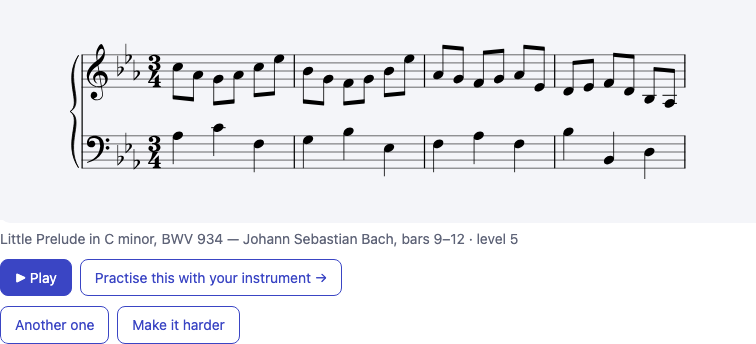
A level 5 sight-reading passage from Bach's Little Prelude in C minor, shown as a grand staff with Play and follow-up buttons “Give me a level 5 Bach passage to sight-read” → a real passage, engraved and playable, right in the chat.
FreeNo accountPublic-domain musicWorks in Claude and ChatGPT
What it does

Three things a teacher reaches for

Instead of describing music in words, your assistant can put it on a staff, play it, and test you on it.

Notation you can see and hear

Any scale, chord, progression or melody the assistant explains appears as engraved notation — single staff or piano grand staff — with playback that highlights each note as it sounds.

Show me a ii–V–I in C for piano, both hands
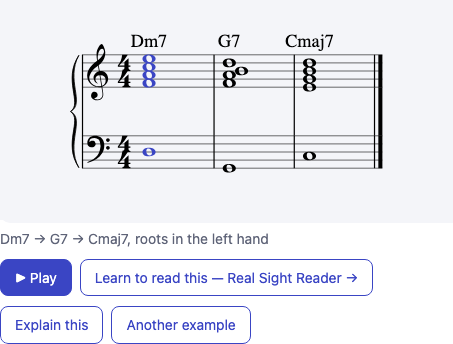
A ii–V–I progression on a grand staff with chord symbols, mid-playback with the G7 chord highlighted

Sight-reading from real music

Short passages from public-domain piano works, graded from level 1 to 10. Ask by level or by composer, play it back, then make it harder or ask for another.

Give me a level 3 sight-reading exercise
A four-bar sight-reading passage with caption naming the piece, composer and bars

Ear training with feedback

Hear an interval or chord, pick the answer, get told what it was and a song to remember it by. The assistant sees your score and suggests what to practise next.

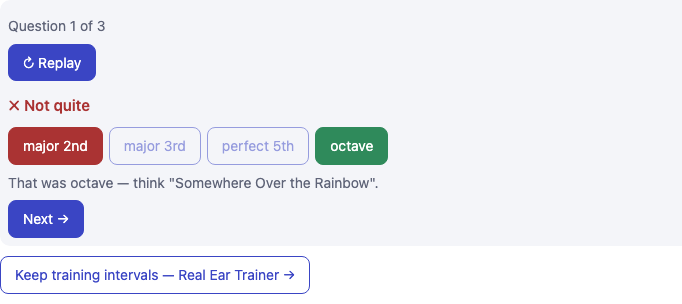
Quiz me on intervals, easy, 3 questions
An interval quiz question showing a wrong pick in red, the right answer in green, and a mnemonic
Add it

Two minutes to set up

Music Tutor is an MCP server. Paste one URL into your assistant and it gains the tools.

https://musictutor.app/mcp

Claude

  1. Open Settings → Connectors → Add custom connector.
  2. Name it Music Tutor, paste the URL, leave sign-in fields blank, and Add.
  3. In a chat, enable it from the tools menu and ask for an exercise.

ChatGPT

  1. Turn on Developer mode under Settings → Apps & Connectors → Advanced.
  2. Choose Create, name it Music Tutor, paste the URL, pick No authentication.
  3. In a new chat, attach it via + → More and ask away.

Try asking

Show me a C major scale as notation Give me a level 5 Bach passage to sight-read Quiz me on chord qualities, hard What should I practise next?
FAQ

Good to know

Does it cost anything?

No. There is no account, no sign-in and nothing to pay.

Where does the music come from?

Sight-reading passages are drawn from public-domain piano works — composers who died 70+ years ago or pieces published before 1930. Think one is not? Tell us.

What do you collect?

Only the tool inputs your assistant sends — a level, a filter, or notation to engrave. Never your conversation. Privacy.

Can I practise with my own instrument?

Yes. Every card links to the free practice pages of Real Sight Reader and Real Ear Trainer, which listen to you play.